Coming soon. Installation link is not available yet.
English & Japanese
A conversation. Not a language exercise.
Write replies in English and read copied Japanese messages without leaving the chat. Switch to Bilingual’s keyboard to translate in either direction.
5 short AI translations a day. No subscription required.
Coming soon. Installation link is not available yet.See the steps ↓
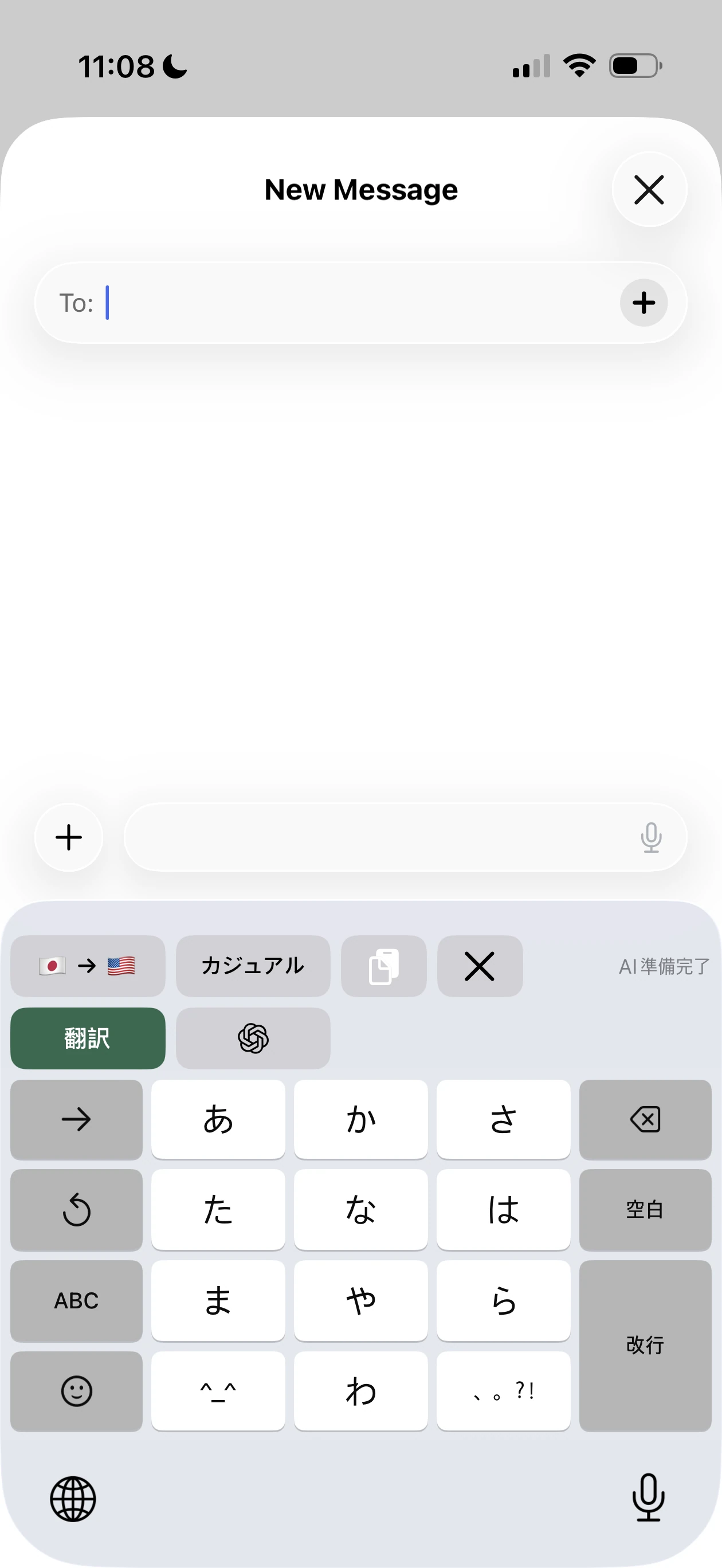
Japanese Kana Flick with Bilingual’s translation controls. Tap for the full screenshot.
Writing and reading
Stay with the conversation.
Open Bilingual in a supported reply field. Choose what to translate and review it before sending.
English → Japanese
Write your reply in English.
Type with Bilingual
Choose English → Japanese and write your reply.
Translate and review
Tap Translate and compare the result with your original message.
Insert, then send
Tap Insert Translation, then your conversation app’s Send button.
Japanese → English
Read the message you received.
Copy their message
Use the chat app’s Copy action on the Japanese text.
Open the reply field
Switch to Bilingual if needed, then tap Paste. Check that the translation direction is Japanese → English.
Read, without sending
The translated message appears in the keyboard. Inserting it is optional.
When you want to type Japanese
Flick or type in Romaji.
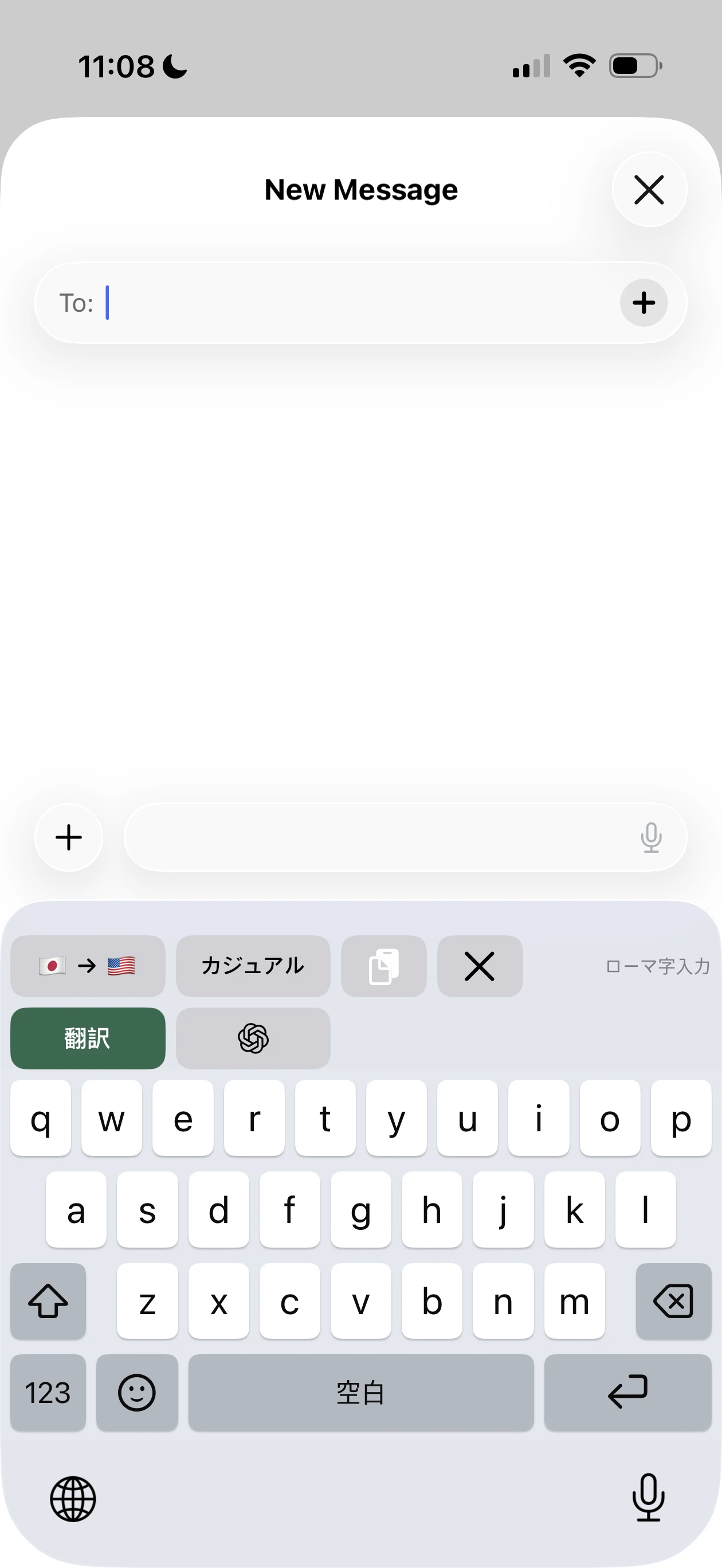
Use Kana Flick or type Japanese sounds in Roman letters. Both layouts offer on-device Kana-to-Kanji conversion, with Bilingual’s translation controls above the keys.
Kana Flick
Japanese kana, with a flick
Romaji
Japanese sounds, Roman letters
Actual Bilingual keyboards in Messages. Tap either screenshot to enlarge.
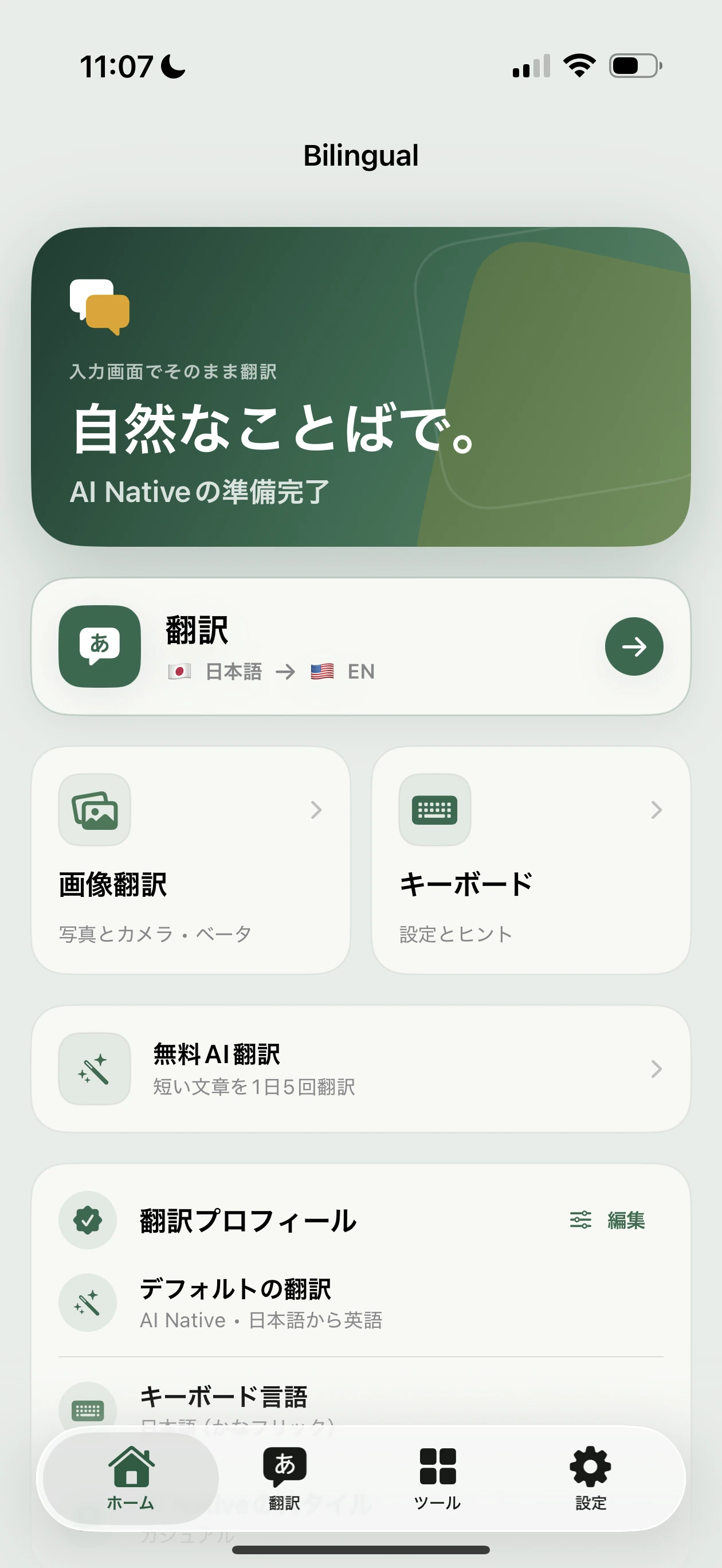
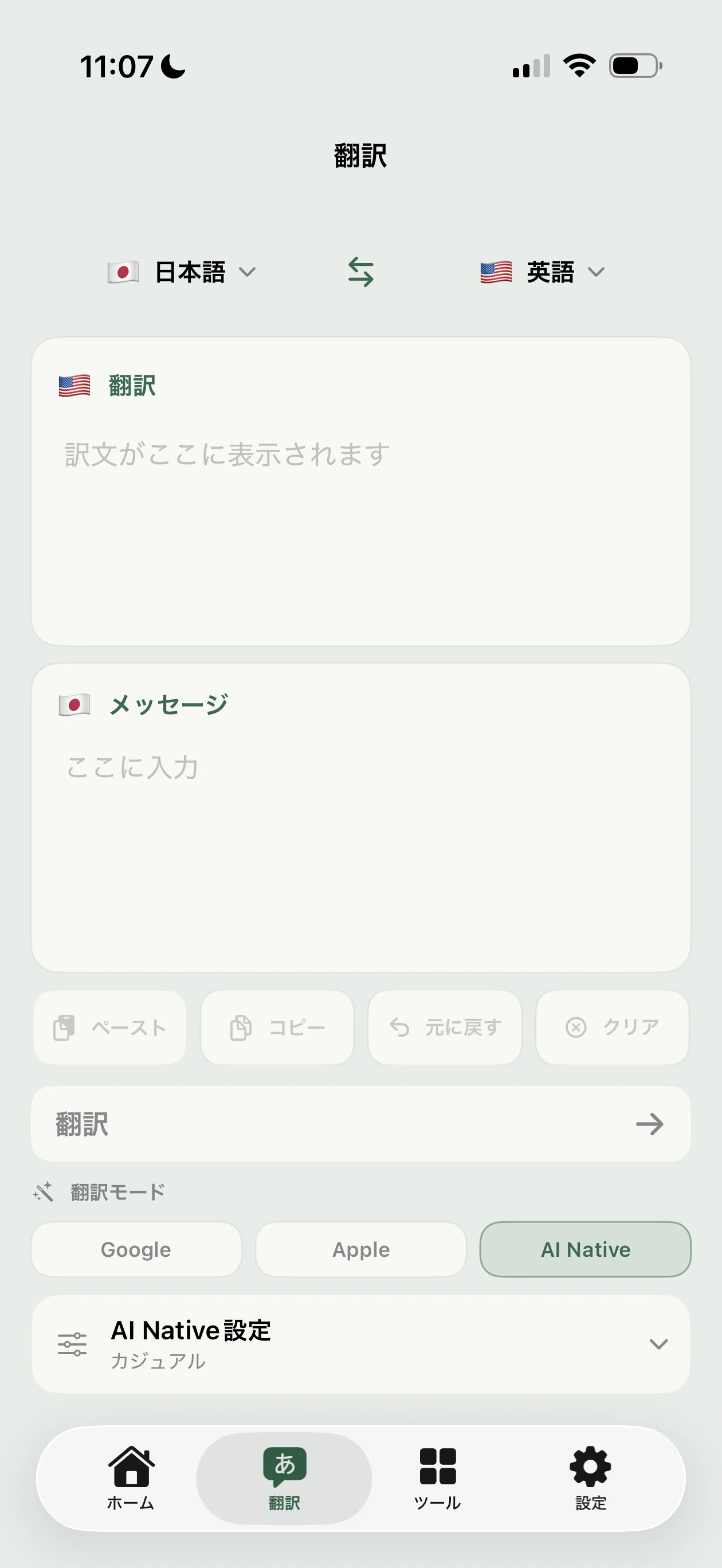
The companion app
An app that speaks Japanese, too.
Japanese interface labels, familiar controls and the same translation tools.
See the app in Japanese
Home
Your translation shortcuts and setup in one place.
Translate
A little more room to review and adjust your message.
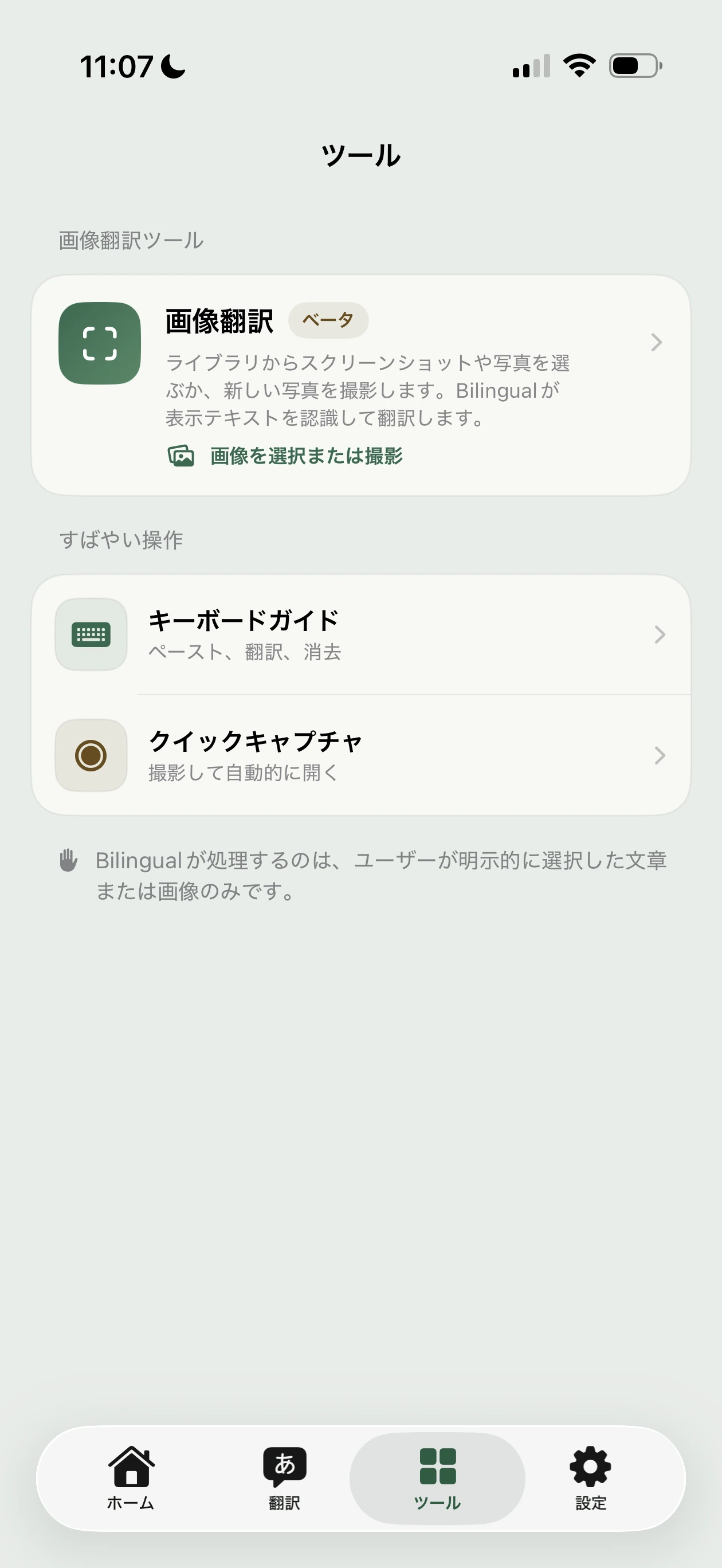
Tools
Image translation Beta, keyboard help and faster capture.
Before you send
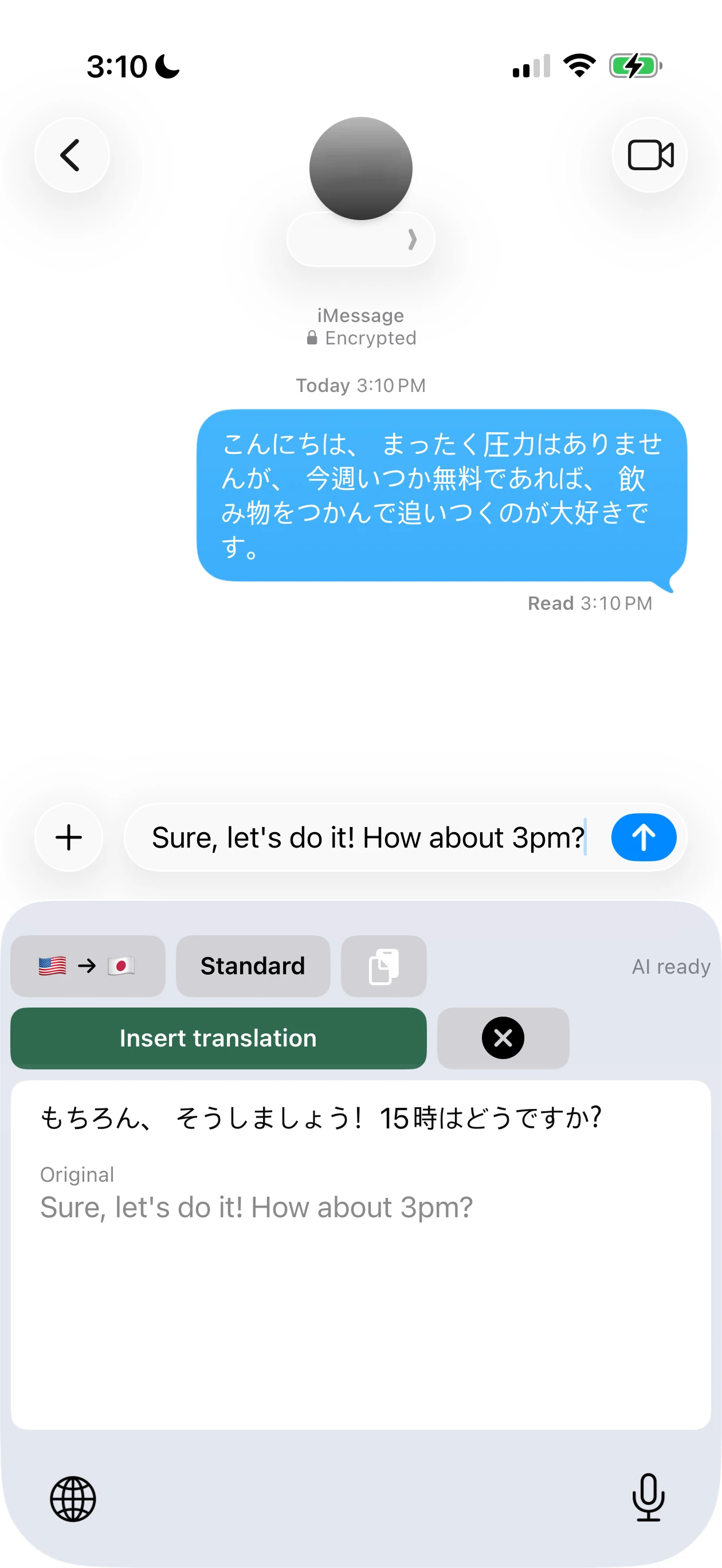
Your original. Your translated reply.
Review both in the keyboard, then tap Insert Translation to place only the translation in your reply field. Sending is still your choice.
An English reply translated to Japanese, ready to review.
Choose how your reply sounds
The words should fit the moment.
Choose Casual, Standard or Polite with AI Native. Free AI includes 5 short translations a day with all three tones; Pro adds longer messages and personalization, including saved names and terms.
Review names, plans and important details before sending. Translation can miss context or nuance.
Before your first message
Set up Bilingual.
Add Bilingual in device Settings. In the app, download Google Offline models or enable Free AI. Pro is optional. AI needs internet, Full Access and your permission to share translation text with OpenAI through Bilingual’s service.
Downloading missing models from the keyboard also needs Full Access. iOS may ask permission when you paste.
Requires iOS / iPadOS 26 or later. Some apps and fields don’t support custom keyboards. Bilingual translates messages you choose and copy, not your chat history.